
用 Claude Code 做一支 Claw’d 动画:从提示词到成片的完整记录
最终做出了什么
我用 Claude Code 做了一支 Claw’d 动画:一只小螃蟹从终端跳进手绘剪辑软件,给一段虚构的“Claude in America”短片做剪辑,导出后再把剪好的片子完整播放出来。最终版本是横屏 1920×1080、30 fps、49.3 秒,H.264 视频加 AAC 音频,文件约 16.9 MiB。
这篇文章根据当时保留的 Claude Code 会话、工程文件和成片整理。会话标识、本机绝对路径、临时附件地址与运行日志没有放进文章。下文的提示词是公开整理版:去掉了会话包装标记,修正了个别拼写,保留了实际的创作要求。它不是从项目 README 倒推出来的。
先说明一个容易误会的地方:这不是把四段真实视频上传给文生视频模型。Claude Code 写了动画程序;所谓的四个素材片段、剪辑软件、手机预览和螃蟹,都是 Canvas 逐帧绘制的。画面里的测试数字和 claude —ship 也是剧情道具,不代表真实的测试成绩或可执行的 Claude Code 命令。
第一步:把创意写成可以执行的提示词
最初我想要的是一支约 30 秒、16:9、不中途切镜头的动画。我还附了一张 Claw’d 的角色参考图。提示词没有只写“做个螃蟹剪视频”,而是把开场、角色形态、素材顺序、每个笑点、结尾、文字限制和声音都定下来。
下面是初始提示词的公开整理版。它比较长,但长的原因很实际:每条约束都对应着成片里一个需要看得见、验得出的细节。
Create a new project folder and finish this task.

Opus 5.5 is the unseen author. On screen the hero is Claw'd: a tiny flat red
rectangle with two dot eyes, a slit mouth, stubby legs, and cartoon arms that
can stretch like rubber. Hand-drawn 2D, cream paper background, thick ink
outlines, soft pastel fills. 16:9, about 30 seconds, one continuous shot:
the camera never hard-cuts; it only trucks, pushes, and recenters inside a
single CapCut-style NLE. Every on-screen word is English. No Chinese
characters anywhere: not in the terminal, UI tabs, clip names, stickers,
waveform labels, or end card.

WORLD HOOK
Open on a floating macOS-style terminal titled "clawd.js — Terminal".
Three lines type themselves:
1  const editor = clawd.writeCode()
2  editor.draw(timeline, preview, panels)
3  clawd.climbIn(
Claw'd peeks over the top-right of the window, then dives through the caret.
The terminal unfolds into the editor. Do not invent a different opening.

THE VIDEO BEING CUT (Claude in America only)
Four clips on the timeline, in this order:
"landing.mp4" — morning descent over the US West Coast; San Francisco Bay,
bridges, thin fog, a small plane
"diner.mp4" — diner booth, thick mug, laptop open to a clean Claude chat
window; a tiny sparkle on the reply
"claude_codes.mp4" — dark desk, terminal scrolling, green checks stacking,
one line that reads "claude --ship"
"shipped.mp4" — night SF skyline, one office window still lit, phone lock
screen flashing "Shipped."
Preview lives in a phone mockup and always shows the clip under the playhead.
Forbidden: mooncakes, family reunion, ramen, shiba, disco, leftover Chinese
UI, generic AI-art sludge. The inner story is only: Claude lands in America,
works, ships.

WORKFLOW BEATS (keep this order)
1) Import and drop the four clips onto V1. Phone preview plays landing.mp4.
2) Dead-space cut: a hatched gray gap in diner.mp4 says "this bit is zoning
out zzz". Claw'd cuts it out with a utility knife. The gap slaps shut and
the phone jumps from a stalled coffee sip to the Claude window lighting up.
3) Transition as basketball: Claw'd hangs a tiny hoop over the cut between
landing and diner, then slam-dunks a Page Flip icon through it. The phone
preview page-flips from the bay to the diner.
4) Drag "Claude just landed" onto landing.mp4 and "Ship it." onto shipped.mp4.
Both stickers must be fully visible.
5) Claw'd raises Flash, Saturation, and Zoom Punch in the Adjust panel by
stretching one arm. Sunglasses snap onto its face. Each green check in
claude_codes.mp4 gets a stronger punch-in.
6) Yellow triangle markers rain onto the bgm_ship.wav audio track. Put
"ON BEAT" under the waveform. The playhead hits the plane pass, mug down,
checkmark, and "Shipped." on the kicks.
7) Play the last 2–3 seconds of shipped.mp4 for real, then turn the phone
into a social post: "Claude took America.", handle "@Claw'd · Opus 5.5",
hashtags "#Claude #ShipIt #CapCut". Claw'd stands to the right in sunglasses,
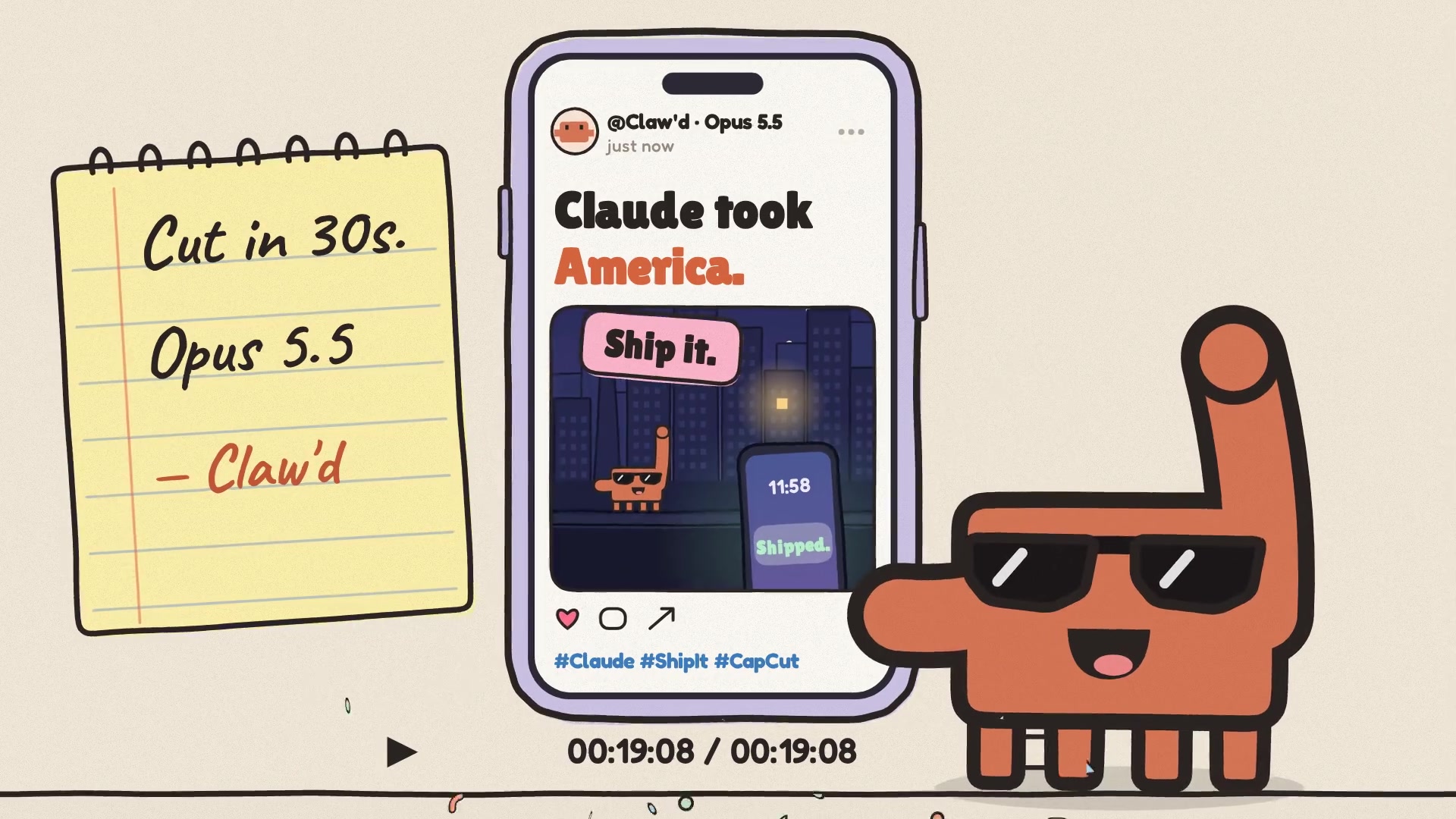
one arm up. A notepad slides in: "Cut in 30s. / Opus 5.5 / — Claw'd".
Finish with confetti and one chime.

TONE
Energetic, cute, clever, a little cocky. Comedy comes from editing gestures.
Keep UI text sharp, English, and complete. Character scale stays consistent:
arms stretch, the body does not become a giant diagonal line. American cues
stay specific but light; no waving flags, politics, or official-looking logos.

MUSIC (original, no vocals)
Bright electronic montage with a slight West-Coast pulse: punchy kick,
bouncy bass, plucked synth, clap on beats 2 and 4, 100–108 BPM. Every cut,
dunk, sticker drop, slider tick, and triangle land hits a kick or clap.
Mute any vocal-like synth. Open up the last two seconds for the skyline,
then finish with one stinger and a chime.这一步最有用的是把抽象风格变成验收条件:例如“四段素材的顺序固定”“文字不能被截断”“剪辑动作落在鼓点”“不能出现旧视频中的中秋元素”。否则模型即使做出一段好看的动画,也可能不是我要的这支片。
第二步:让 Claude Code 把动画写成工程
Claude Code 在独立的视频目录里写代码,使用 Node.js、playwright-core、无头 Chromium 和 FFmpeg。目录大致是这样:
video-projects/
└── clawd_claude_in_america/
    ├── src/            # 画面、角色、分镜、剪辑界面
    ├── fonts/          # 本地字体
    ├── out/            # MP4、WAV、封面与静帧
    ├── music.js        # 原创合成音乐与音效
    ├── render.js       # 浏览器逐帧渲染
    ├── build.sh        # 合成和验证
    ├── verify.js       # 文件与音画同步检查
└── liveness.js # 角色可见性和动作检查画面不是按“视频片段文件”拼接的。src/clips.js 用绘图函数分别画湾区飞机、餐厅、写代码的终端和夜晚的旧金山;src/clawd.js 画角色;src/nle.js 画剪辑器界面;src/director.js 控制镜头、动作、手机里的预览和成片播放。纸张纹理也由程序中的固定随机种子生成。
整个作品的时钟写在 src/core.js:30 fps,每拍 17 帧,也就是约 105.9 BPM;48 kHz 音频里每拍正好是 27,200 个采样。src/cues.js 是画面和声音共用的事件表。什么时候切、什么时候摔落、什么时候出现贴纸或音效,都从同一条节拍线上读。这样做比画面做完后再凭感觉去配音乐更容易对齐。
声音也没有用下载的歌曲或人声样本。music.js 用代码生成鼓、贝斯、合成器和动作音效,再把它们混成 WAV。浏览器把每一帧画成 PNG;FFmpeg 进行响度处理和两遍 H.264 编码,最后把 AAC 音轨装进 MP4。
在现有工程中,命令是在该视频目录下运行:
npm ci
FRAMES_DIR=./.render-frames ./build.sh
FRAMES_DIR 要指定为专用的临时帧目录:构建脚本开头会清空它,渲染期间还会占用数 GB 空间。原工程的 render.js 固定了无头 Chromium 的本机可执行文件位置,换机器时需要改为自己机器上的路径。还需要预装 Node.js、Chromium、FFmpeg 和 ffprobe。命令依赖完整工程源码,单独复制这两行不能凭空生成视频。
第三步:看第一版,补角色表演
第一版做到了终端开场、四个素材上时间线、切掉无聊片段、Page Flip 扣篮、贴纸、调色滑杆和最终社交帖子。它长 30.9 秒,接近最初设定。但实际看过之后,Claw’d 在一些镜头里太像一个小图标;预览画面也有静止感。
于是我给 Claude Code 补了第二段提示词。下面保留了它的验收标准:
LIVENESS PASS (do not skip)
Claw'd is a performer, not a cursor. From the moment the editor appears,
it stands on the timeline. Never park it as a tiny icon in the media bin.

Scale: in every gag close-up, Claw'd's body fills 20–40% of the frame.
Wide full-UI shots may last 0.5–0.8s max, then push in.

Acting: squash-and-stretch on every land. Arms rubber-band, body squishes,
then pops back. After each action, add a 2-frame settle.

Expression sheet, in order:
- typing/peek: curious
- knife cut: focused, mouth a dash
- slam-dunk: mouth open
- sliders: strain, then smug when sunglasses snap on
- final pose: one arm up, still wearing the glasses

Inner clips must MOVE, not hold stills:
- landing.mp4: plane crosses the bridge
- diner.mp4: steam loops on the mug, Claude reply types in
- claude_codes.mp4: checks stack
- shipped.mp4: one office window blinks, then the lock screen flips to "Shipped."

Put Claw'd inside the finished video. The last phone playback shows
sunglasses-Claw'd on a San Francisco rooftop at night, tiny against the
skyline, as "Ship it." slaps on. Then that same frame becomes the social post.
Editor and output share one character.

Audio hits on every body beat: whoosh into the editor, blade slice, SLAP,
net swish, sticker thwip, slider ticks, triangle drops on the kick, final
chime. If the body is still, the frame is wrong.
第二版仍是 30.9 秒。角色从媒体区移到时间线上,镜头更靠近,手臂和身体都有动作;四段“素材”也开始持续运动。这次修改解决了表演问题,却暴露了另一个更重要的问题:观众看到了它怎么剪,没有真正看到剪完是什么。
第四步:明确要求播放完整结果
我当时给的反馈很短,原意是:“I think the video only has the creation process; it doesn’t show the result.” 这句话改变了最终版本的结构。之前提示词第七步只要求真实播放最后 2–3 秒,Claude Code 确实照做了;但那不足以展示完整作品。问题不在渲染技术,而在我对“交付”描述得不够明确。
第三版在剪辑过程之后新增 Export 动作,然后让剪好的“Claude in America”在手机里从头到尾播放约 19.3 秒:飞机飞过湾区、餐厅的停顿被剪掉、终端里的绿勾依次出现,最后到屋顶、手机通知和“Ship it.”。Claw’d 在旁边跟着成片反应。最后一帧再变成社交帖子。
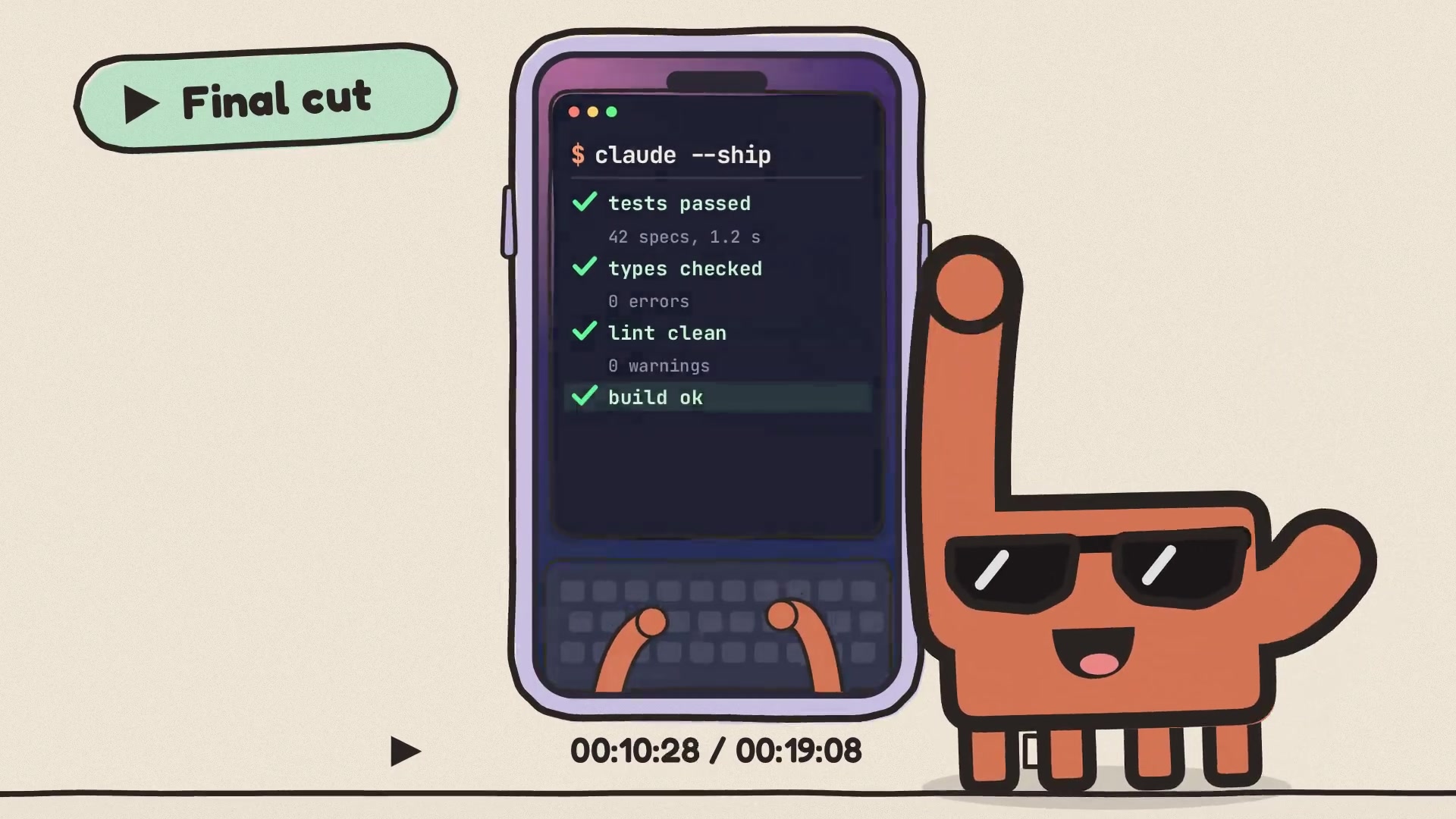
这也解释了一个取舍:最初要“约 30 秒”,最后变成 49.3 秒。新增的 19.3 秒不是多出的空镜,而是完整播放剪辑结果。我保留了这个更长的版本,因为这次真正要展示的是过程和结果。
如何检查成片,而不是只看一眼
工程里的 build.sh 会依次生成原始音频、做响度处理、渲染 PNG 帧、两遍编码视频,再执行 verify.js 和 liveness.js。最终版本一共 1,479 帧。验证包括:
- 用 ffprobe 检查时长、分辨率、编码、帧数和文件大小;
- 检查 MP4 音轨与母带是否对齐,以及鼓点是否落在共同的节拍网格;
- 在画面中核对文字只含预期字符,且没有超出文字框;
- 检查 Claw’d 在编辑器镜头里的可见度、身体尺寸、长时间静止和过长的全界面远景。
当时最终构建记录显示:视频 49.3 秒、约 16.9 MiB,42 个关键动作与事件落在鼓点上,文字检查、音画同步和角色动作检查通过。音频检查是基于波形和时间位置;最终听感仍应由能听音频的人再审一遍。
这次最值得留下的经验
第一,把要看到的最终结果写进提示词。“展示导出”和“完整播放导出的视频”是两件不同的事。我们在第三版才把这句话说清楚。
第二,反馈尽量给可测量的标准。角色占画面高度的范围、全界面远景最长持续时间、每个素材必须持续运动、每次落地后的两帧缓冲,都比“再活泼一点”更容易实施和检查。
第三,不要把工程里的剧情数据误认为真实数据。片中四个 MP4 文件名、claude —ship 和“42 specs, 1.2 s”都是程序画出的故事内容;制作流程没有接入这些真实视频、Claude 聊天记录或部署监控。
还有一个记录上的缺口:现有 build.sh 可以重建 MP4,却没有把两张 JPG 静帧的导出命令写进去。原始提示词和每轮修改也只保存在会话记录中,没有随工程归档。下次做类似项目,我会把公开版提示词、角色参考、版本变更和静帧导出步骤一起放进项目目录,避免只剩成片却说不清它是怎么来的。